
Your Article Is Done. Now It Needs Pictures.
Stop using generic stock photos. Article Image Studio is a free, open-source tool that turns your blog posts into styled AI-generated image sets in minutes.
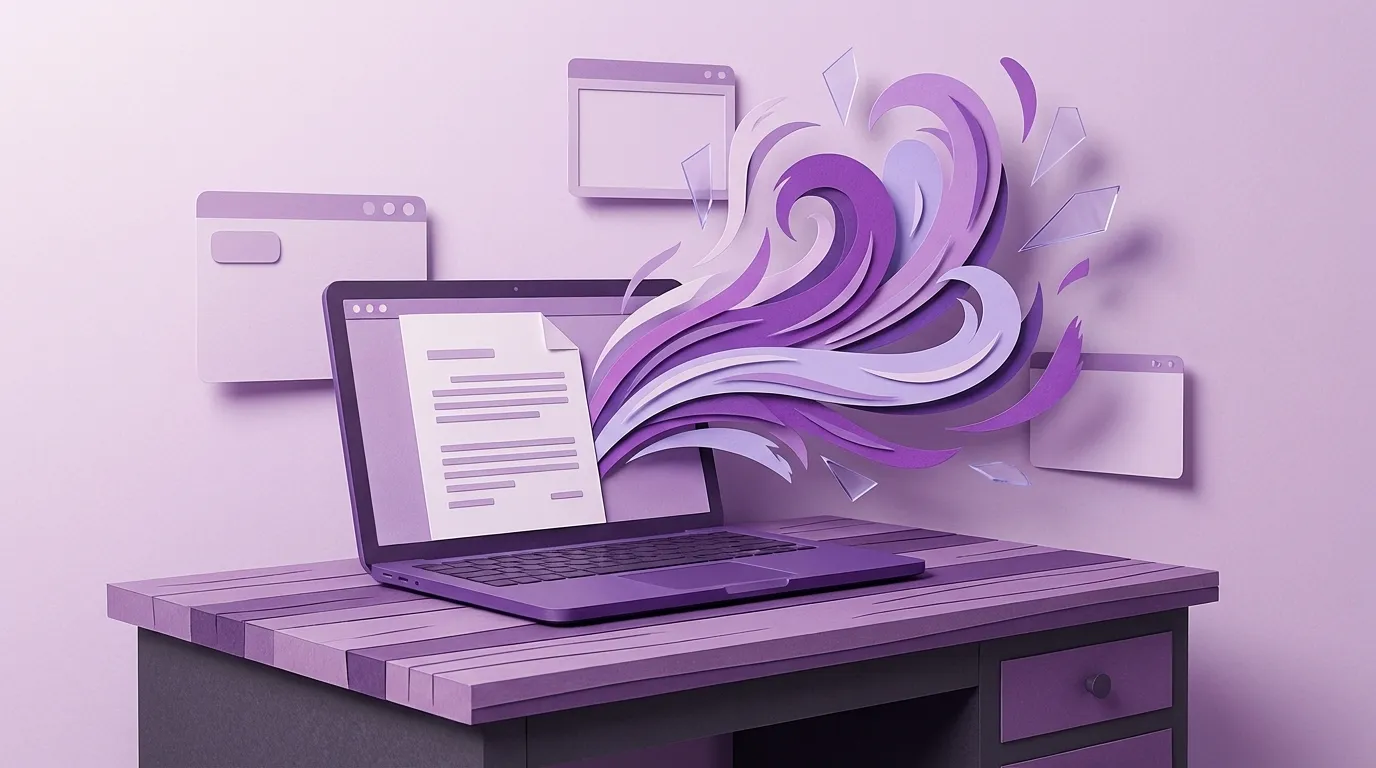
You just spent an hour turning a conversation into a 1,200-word article that sounds like you on your best day. The writing is tight, the stories are real, the voice is authentic. You're ready to publish.
Then you hit the part where your blog template wants a hero image, three inline illustrations, and an Open Graph thumbnail. And you're back to staring at a screen, except now you're browsing stock photo sites for forty-five minutes trying to find something that doesn't look like every other business blog on the internet.
We built a tool to fix this. It's open source, it's free, and it turns your finished article into a set of styled AI-generated images in about five minutes.
The Image Problem Few People Talk About
Content marketing advice tends to focus on the writing. How to find your voice, how to structure an argument, how to write headlines. And that's the hard part — no question. But if you've ever actually published a blog consistently, you know there's a second bottleneck that few people talk about: the images.
Stock photos are generic by design. They're made to fit as many contexts as possible, which means they fit yours poorly. The smiling-people-in-an-office photo doesn't illustrate your point about scattered data across multiple systems. The abstract-blue-gradient doesn't tell your reader anything about tribal knowledge walking out the door. At best, stock photos are harmless filler. At worst, they make your carefully written article look like it came from a template.
The alternative — hiring a designer or illustrator for each post — doesn't scale when you're a five-person shop publishing twice a month. And doing it yourself in Canva or Figma means spending more time on the images than you spent on the article.
So we built Article Image Studio.
What It Does
You paste your finished article into the tool. It reads the content, understands the structure and themes, and generates a set of image prompts — one for each key section or concept. Then it sends those prompts to Google's Gemini image model and gives you back a set of illustrations that actually match what your article is about.
The whole workflow runs in four steps.
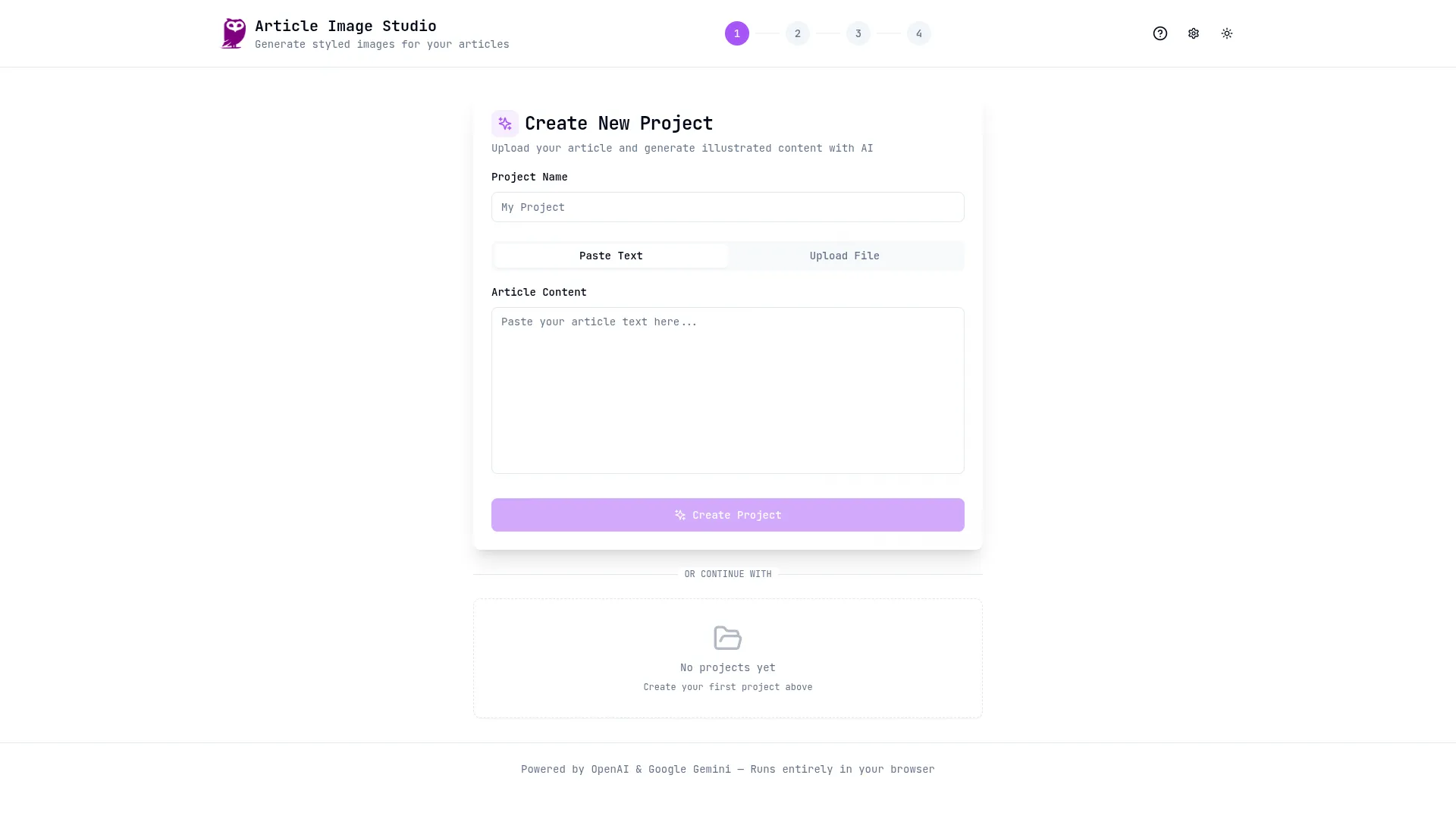
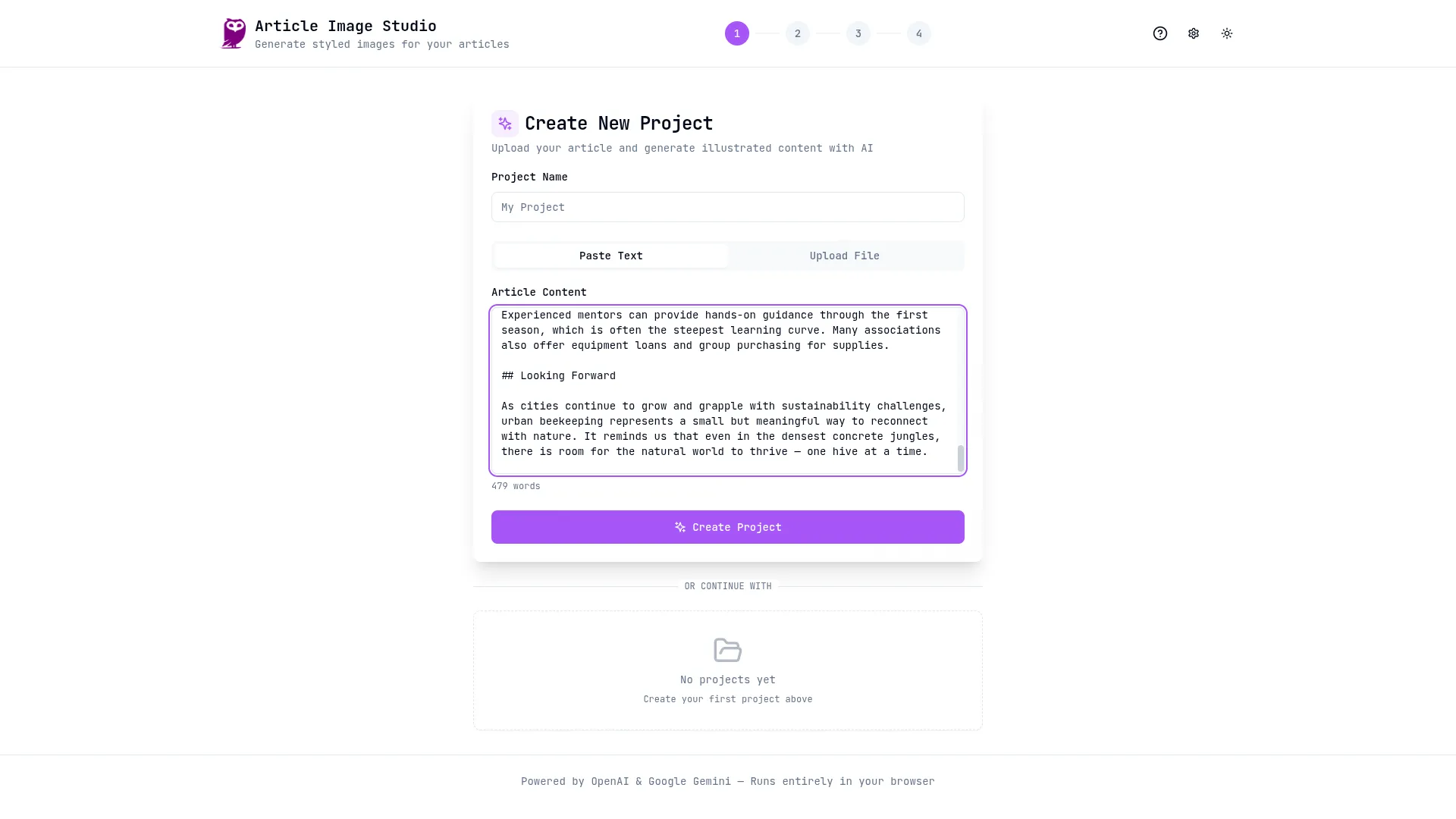
First, you upload your article. Paste the text, or drop in a markdown or text file. The tool accepts whatever format you wrote in.
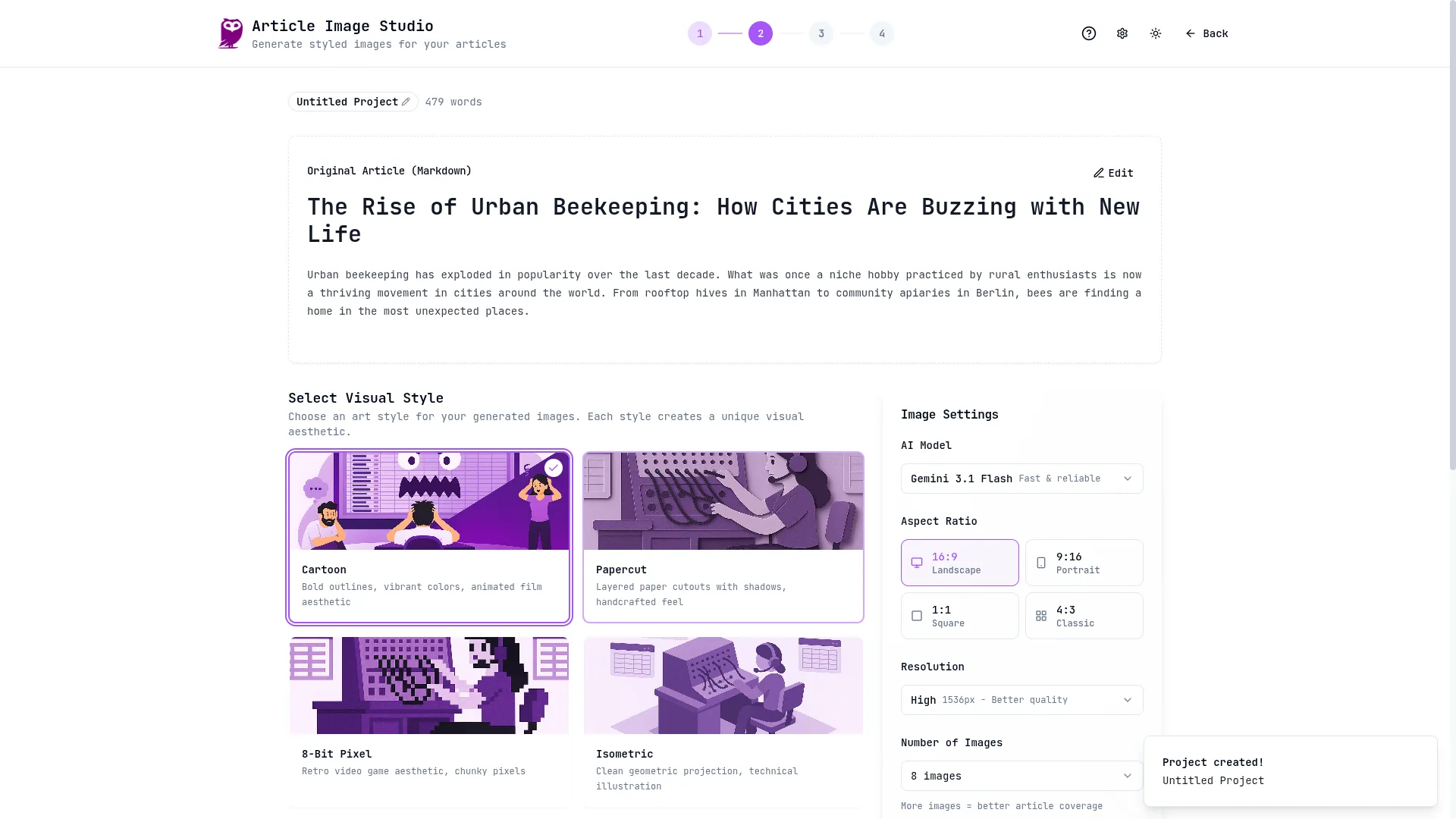
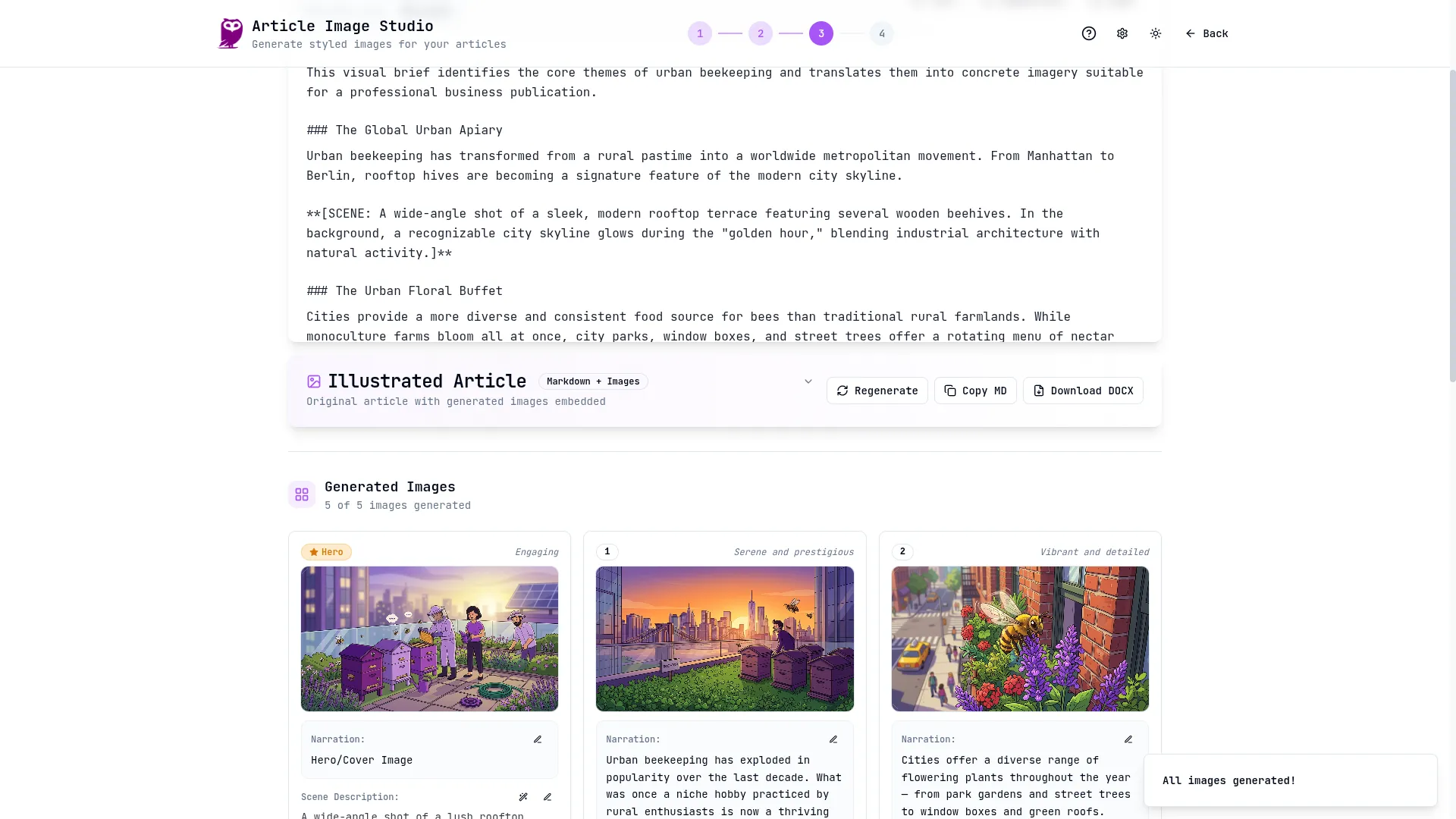
Second, you pick a visual style. This is where it gets interesting. Instead of getting random AI-generated art, you choose a consistent aesthetic for the entire set. Right now the styles include Cartoon, Papercut, 8-bit Pixel Art, and Isometric — and each one produces a distinctly different look while keeping the images in the set visually coherent. You can also pick a color palette and upload reference images if you want to push the style in a specific direction.
Third, the AI generates a content brief. It analyzes your article and creates optimized prompts for each image slot. You can see exactly what it's going to generate, edit any prompt you don't like, and regenerate individual images without starting over. Each slot keeps a version history, so you can flip between generations and pick your favorite.
Fourth, you export. The tool packages your article with all selected images into a ZIP file, ready to drop into your CMS.
Why Styled Sets Matter More Than Individual Images
Here's something we learned the hard way: one good AI image doesn't help your blog much. What helps is a set of images that look like they belong together — and look like they belong to you.
When all the images on a post share the same style, color palette, and visual language, the whole article feels more intentional. It stops looking like a blog post and starts looking like a publication. Readers notice this even if they can't articulate why. It's the difference between a page that feels cobbled together from free assets and one that feels designed.
This is why Article Image Studio generates all your images from the same style definition. The cartoon style doesn't just mean "cartoonish" — it means a specific set of visual characteristics applied consistently across the full image set. Same with papercut, pixel art, and isometric. Each prompt carries the full style specification embedded within it, so the AI model tends to produce coherent results even across different subjects.
Over time, if you consistently publish with the same style, your blog develops a visual identity. People start to recognize your posts before they read the title. That's branding that happens for free, as a side effect of using a tool that makes your life easier.
Open Source, No Server Required
Article Image Studio runs entirely in your browser. There's no backend to deploy, no database to maintain, no server costs. It's a single HTML file that makes API calls directly to OpenAI and Gemini using your own API keys. Projects and images are stored locally in your browser's IndexedDB.
We open-sourced it because the value isn't in the software — it's in the workflow. The hard part of illustrating articles is figuring out what images to generate and how to prompt for visual consistency. That's what the tool handles. The actual image generation is a commodity that costs a few cents per image through Google's API.
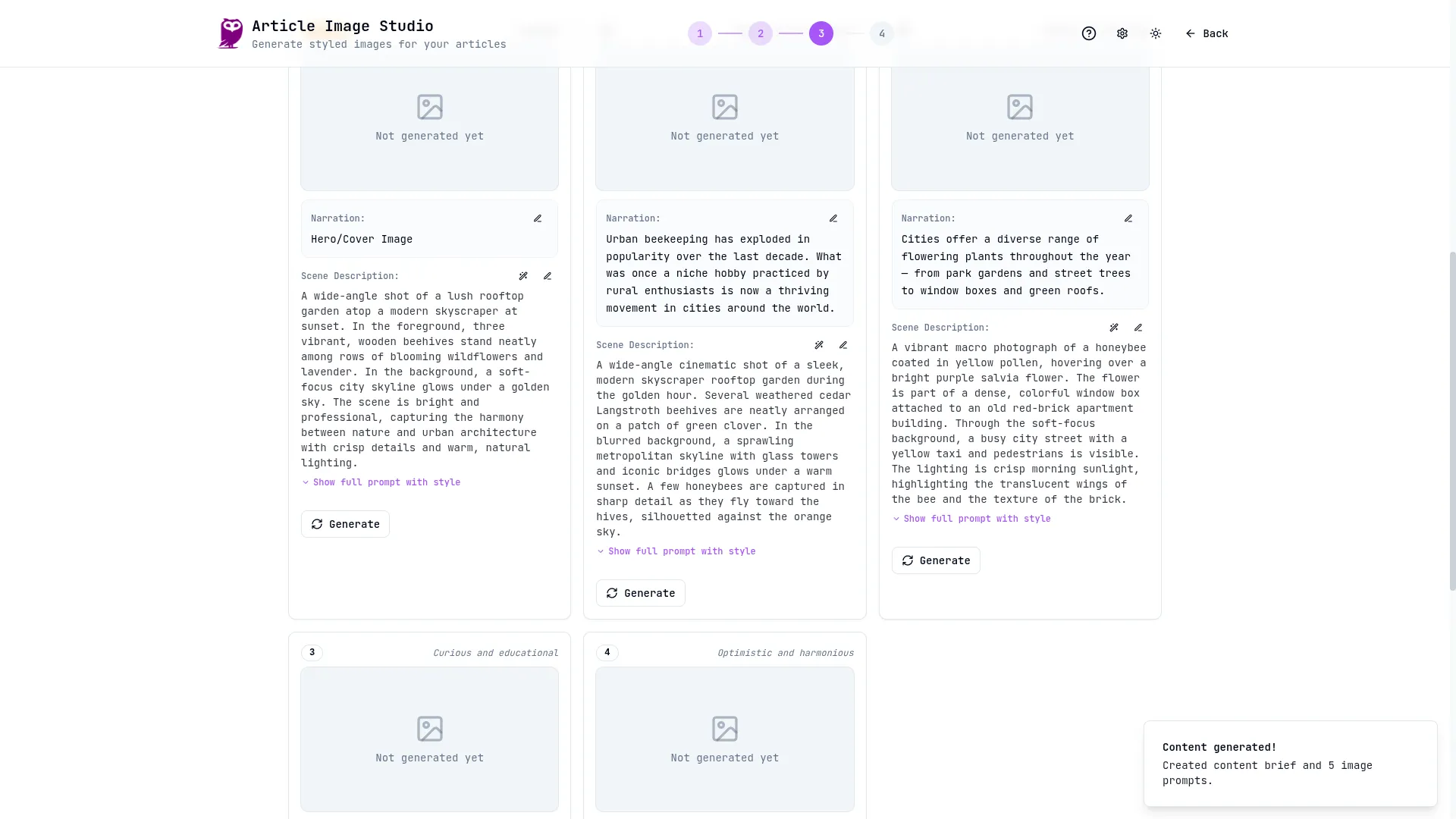
You'll need two API keys to get started: one from OpenAI (for the article analysis and prompt generation) and one from Google AI Studio (for the image generation).
The Full Pipeline
If you read our article on using AI interviews to write blog content, you already know how we produce articles at PurpleOwl. The interview method gets your knowledge out of your head and into a polished article in about an hour. Article Image Studio is what happens next — it takes that finished article and gives it a visual identity in another five to ten minutes.
The full pipeline looks like this: a thirty-minute AI interview produces the raw material, twenty minutes of editing turns it into a finished article, and five minutes in Article Image Studio gives it a complete set of styled illustrations. Start to finish, you go from a topic idea to an illustrated, publish-ready blog post in under an hour. That's a pace that makes consistent publishing actually sustainable for a small team.
Try It
The tool is available on GitHub, and there's a walkthrough video:
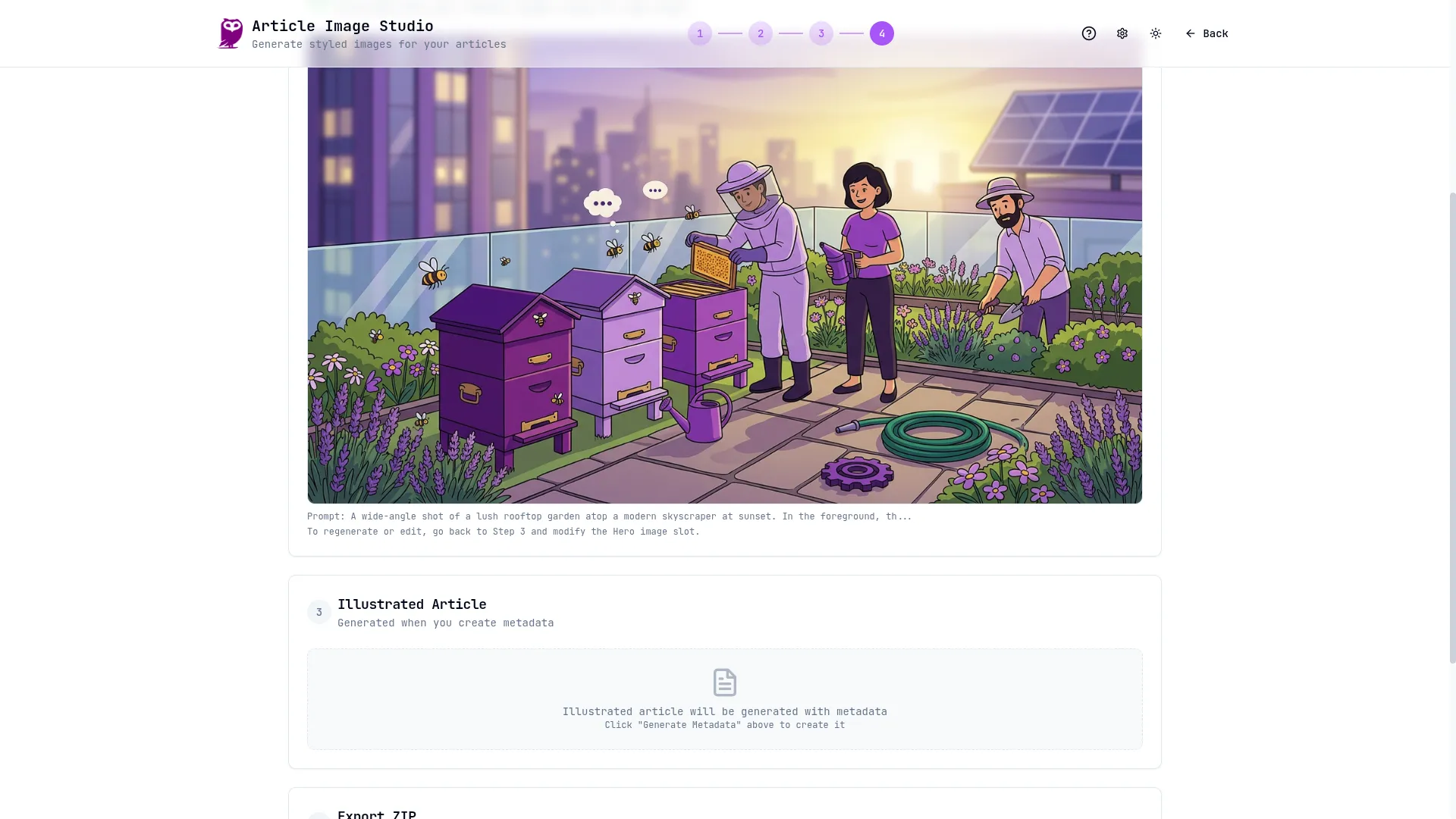
If you've been publishing articles with stock photos or no images at all, give it a shot. Paste in your next article, pick a style, and see what comes back. The first time you get a set of illustrations that actually match what you wrote — instead of a generic handshake photo or an abstract gradient — you'll wonder why you ever did it the other way.
And if you're wondering how we produce the articles themselves — the ones that go into this tool — we wrote about that too. It's a method where an AI interviews you about your topic until it has more material than the article needs, then assembles a draft in your voice. The thinking is yours, the expertise is yours, the AI just asks better questions than a blank page does. You can read the full process and steal the exact prompt in Stop Writing Articles. Start Having Conversations.
Keywords
Related Articles
Stop Writing Articles. Start Having Conversations.
Learn how to transform your content marketing by replacing the blank page with an AI-driven intervie...
Every Article You Write Is Already a Podcast. You Just Haven't Pressed the Button Yet.
Convert your blog posts into professional podcasts automatically. Learn how to use Node.js and Eleve...
We Automated Our Product Walkthrough Video. The Whole Thing.
Stop manually recording product demos. Learn how to use Playwright, ElevenLabs, and FFmpeg to automa...